Live Sessions
Live Sessions Costs
Overview
From Nifty you can also track the expenses of a live session. Costs can be defined in various currencies and the final cost wil be calculated after conversion using the default system currency.
The conversion rate and the default currency will be setup during the onboarding process
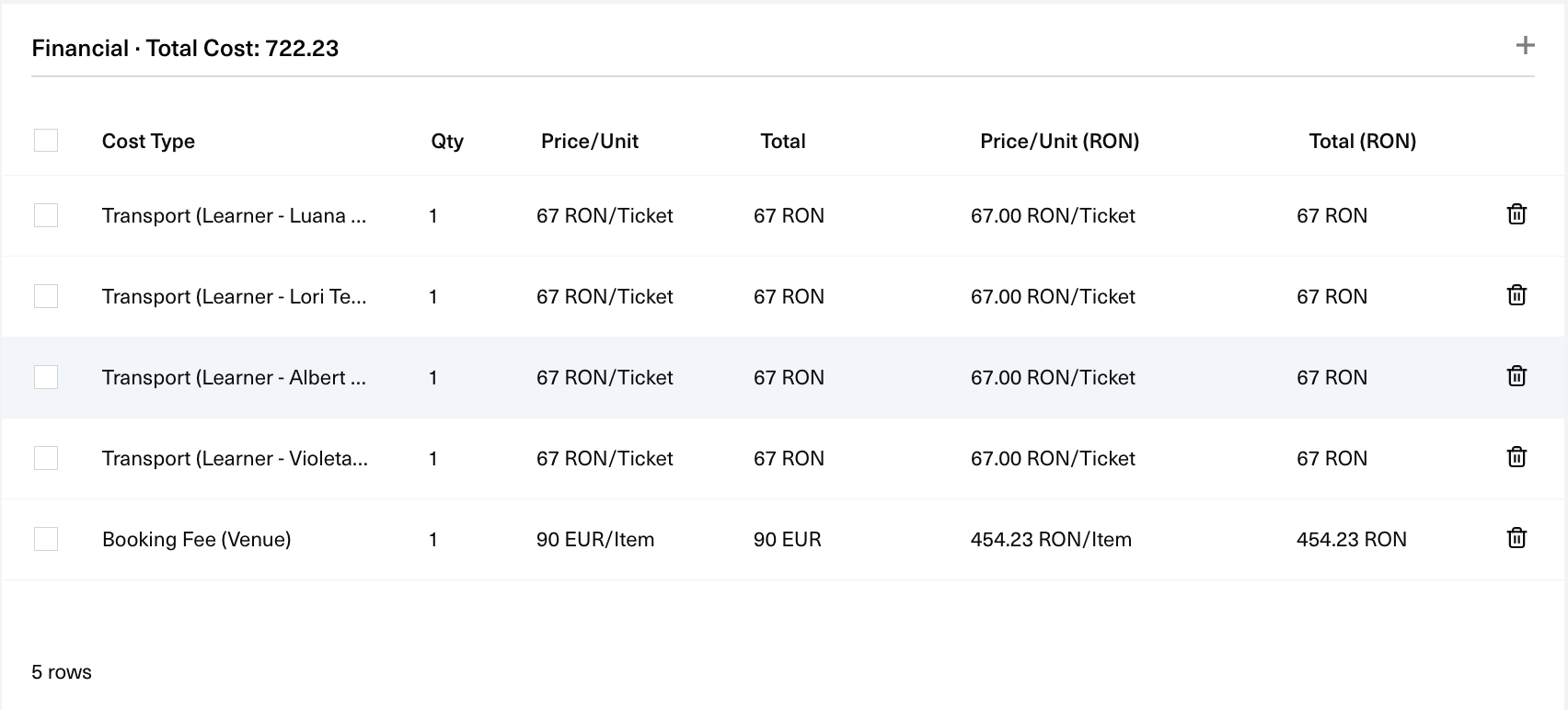
Manage Costs
You can view the costs of a session from the Session View page, in the Session Costs card. From here you can browse your costs, add more, or delete them.
Prerequisites
To use costs in live sessions you need to first have cost types in the app. The initial onboarding process creates most of the cost types that you need but if there are new requirements you can always go to the Costs List page and create new ones.
Add Costs to a session
- From the Session Costs card click on the add icon button from the top right corner.
- A new modal will appear with the Add Session Costs form
- Here you will have to specify the
cost type,quantity,priceandcurrency. If you select a learner cost type you will also need to specify the learners that apply to that cost. - When everything is ready click submit Add Cost and the form will update with a new item.
- After you have added all your costs you can click the Save button and the session will update with the new data.