Manage Assessment instances
In order to follow the progress done by your audience on the assessments you can check the Assessment Instances List Page. Here the data is displayed in a table format with each row representing the progress of a learner. The rows can be expanding, displaying all learner's attempts for that specific assessment. 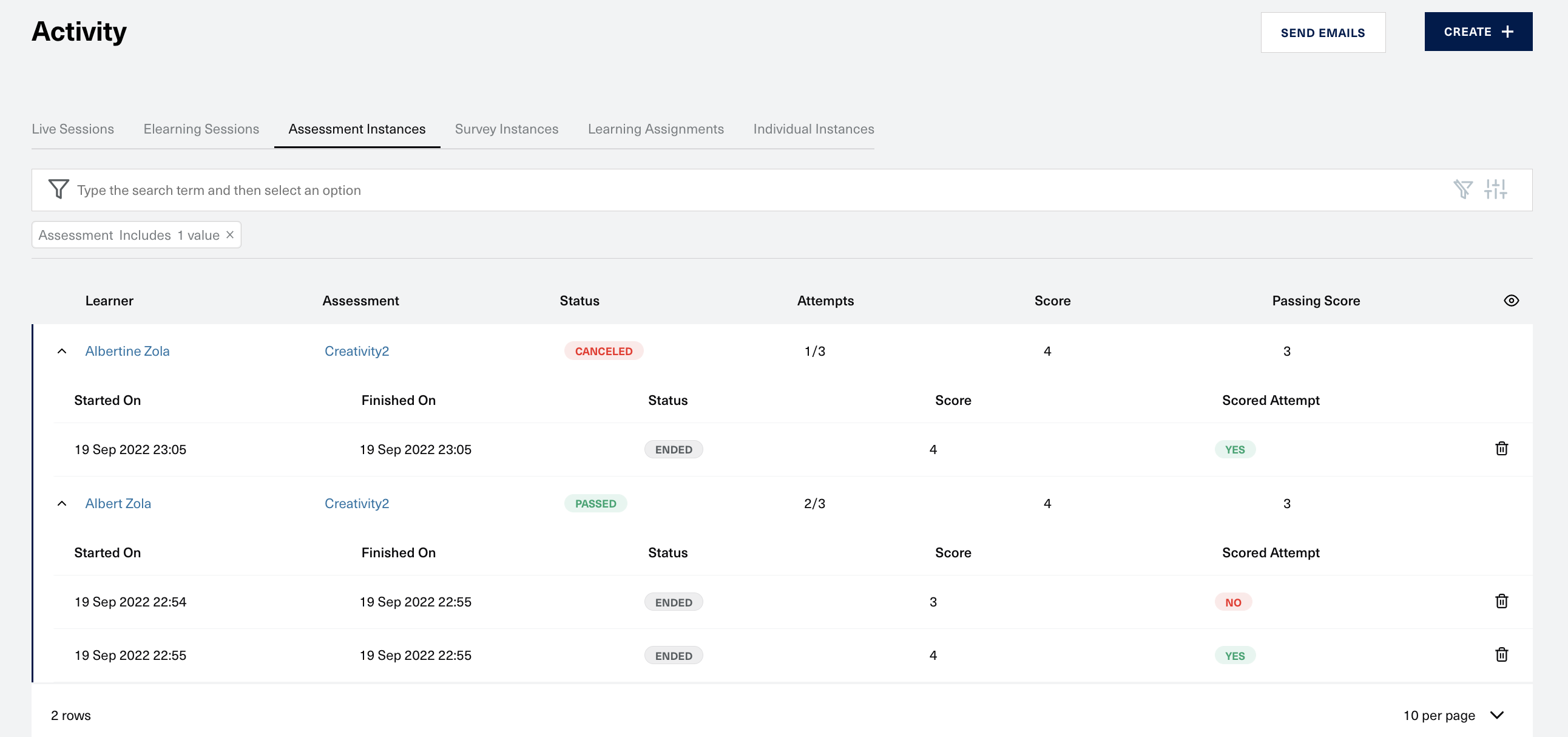
Columns Reference
| Column | Details |
|---|---|
| Assessment section | |
| Learner | Name of the learner that is taking the assessment |
| Assessment | Name of the assessment |
| Status | One of the following: Not started/In Progress/Failed/Passed/Canceled. (see below when these are set) |
| Attempts | How many attempts were made out of how many are possible |
| Score | Number of correct answers. If the validation type of the assessment is Best results then the best score of all the attempts will be display, else the latest attempt score will be displayed. |
| Passing Score | The score that determines the passing/failing of the assessment |
| Attempts section | |
| Started On | Date/time when learner started the assessment |
| Finished On | Date/time when learner finished the assessment |
| Status | One of the following: In progress/Ended. |
| Score | Number of the correct answers for the current attempt |
| Scored Attempt | Yes/No based on the importance of the attempt in the final result of the assessment |
Table Actions - Delete
You can delete an instance by clicking on the trash can icon on a specific attempt row.
Statuses Reference
| Status | Details |
|---|---|
| Not Started | Learner hasn't started the assessment assigned to him |
| In progress | Learner has started the assessment |
| Passed | Learner reached or surpassed the passing score |
| Failed | Learner didn't reach thmanage-assignment.mde passing score |
| Canceled | Learner's assignment instance was canceled by the Admin |
| Ended | Learner completed the attempt |