Learning Assignments
Learning Assignments
Overview
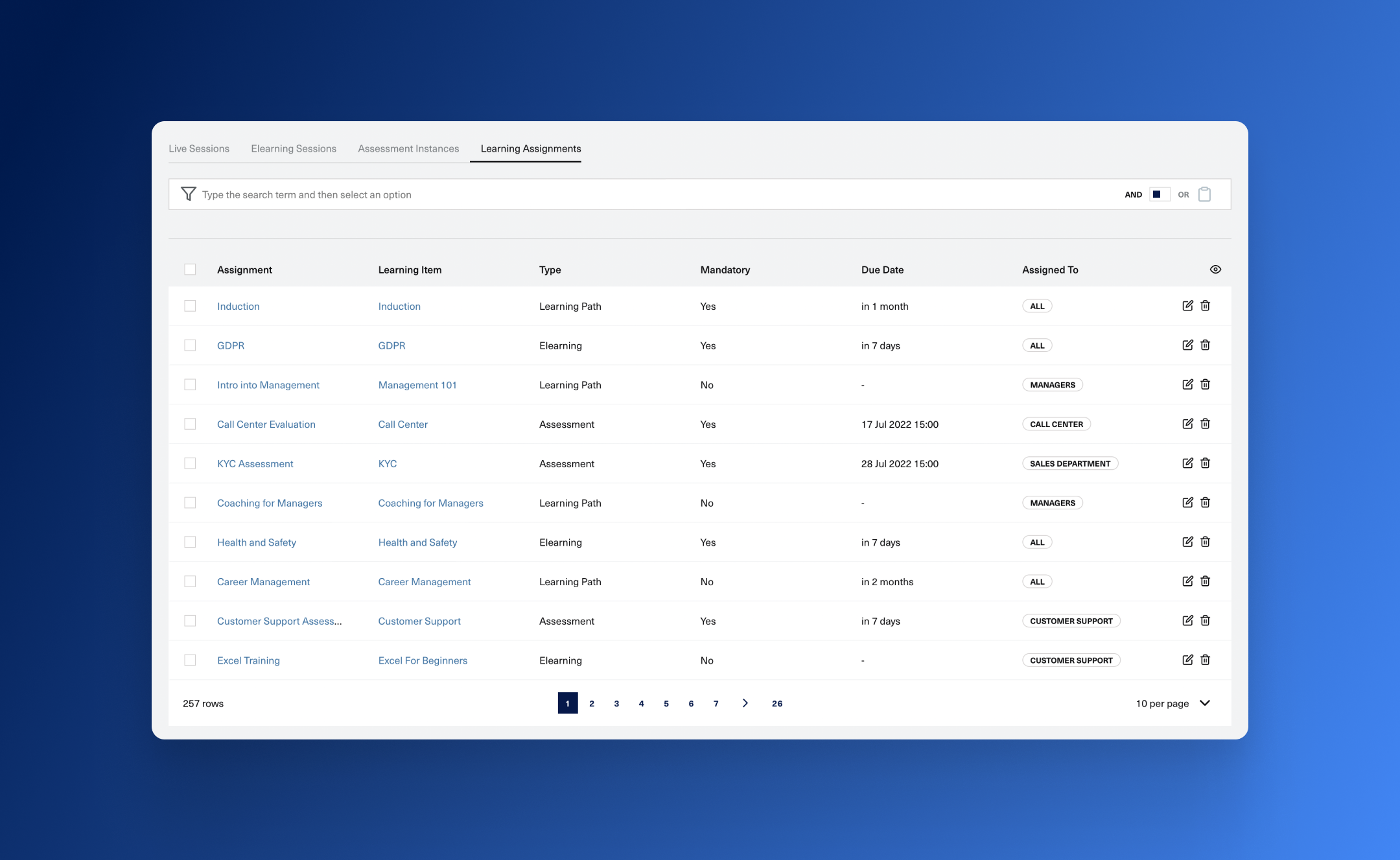
Learning assignments allow you to plan your learning in advance. They are a way to require employees to go through a type of content by basically tasking them to learn something.
Components
An assignment has a couple of different components that influence its overall behavior:
Content
The actual learning content that needs to be accessed. You can set the content only once, when you create the assignment.
Audience
When you create the assigment you will have to define which employees should receive it. You can directly select the learners or make use of learner groups in order to specify the audience of an assignment.
Assignment Instances
After you have created the assigment, based on the Audience that you have selected, Nifty will create Learning Assignment Instances for each learner. With those instances you can monitor the individual progress of each learner on the assignment.
Clarification
It's easy to get confused between the two terms. To make things easier you can use the following mental model.
Think of a Learning Assignment as a task definition, where you describe the content of learning and who is addressed by it. A Learning Assignment Instance on the other hand is the actual task implementation done by a learner.
Assignation Rules
Assignment instances can be created manually by yourself, or you can let Nifty handle complex work for you. We expose a powerful framework that allows you to create different types of rules with the goal of dynamically assigning new learning to your employees. This allows for behaviors like:
- Auto assigning new learning when a learner joins the Audience
- Reassigning content when a learner fails an assessment
- A recurrent flow where content can be assigned periodically based on specific business rules
- Chaining different assignments based on completion status
Planned Instances
A planned instance tells you that an assignment instance will be created for a learner, at a specific point in time or based on a rule that you previously defined. This way you have a clear overview on what might be assigned in the future.
How a learner can access an assignment
After a learning assignment instance is created the learner can view the item in their Learning Portal, under the Allocations section. Based on your Notifications settings an email can also be sent to the learner after the instance has been created.
If the assignment has a due date and that date has passed the item will disappear from the learning portal dashboard. This behavior can be overwritten by checking the After the due date passes the assignment can still be accessed by learners checkbox in either the create or edit assignment forms.